
Tested before dispatchChecked by Ninja Gadgets
No BMS transfer required · Apple Repair Assistant compatible IOS 26.6* · UK and worldwide delivery


REAL INSTALLATIONS
What buyers say after installation.
“The battery was recognised as genuine. According to the 3U Tool, the total capacity was 3096 mAh. The overall performance is almost as good as that of an original battery.”
“Perfect, recognised as an original Apple part after configuration and capacity 100% and 0 cycles. Thank you very much, my iPhone 15 Pro is reborn!”
“Very good battery, shows used batt but genuine. High capacity 3days from 100% to 10% with non intensive using. Happy recommend.”
“Installed it on an iphone 12. it came back to life. battery is at 100% of its health no pop-up. this is the second battery I bought the first one was for my iphone 13 which is doing great as well”
“It works flawlessly in iphone 12pro. 100% battery health and apple diagnostics check confirms that accu is genuine part!”
“At 1st will have the warning. But after updating to latest IOS the warning is gone and genuine part is recognised. All good now!!”
“At first I had doubts, but when I used it, I was surprised. I totally recommend it, and the battery lasts too long.”
Clear compatibilityModel-specific options
Video installation guideSee the process before ordering
Direct supportHelp from Dan
No warning notification. Battery Health still visible.
Most standard aftermarket batteries can trigger an “Unknown Part” warning or remove access to Battery Health information. After installation and calibration, this battery keeps that information available and displays as “Used” in Parts & Service History.
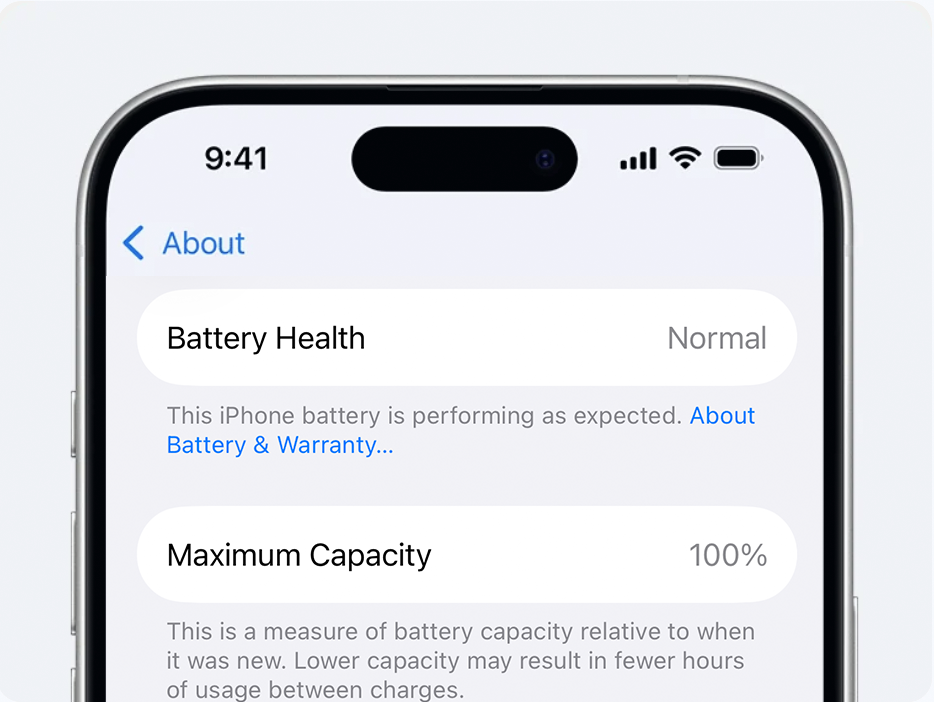
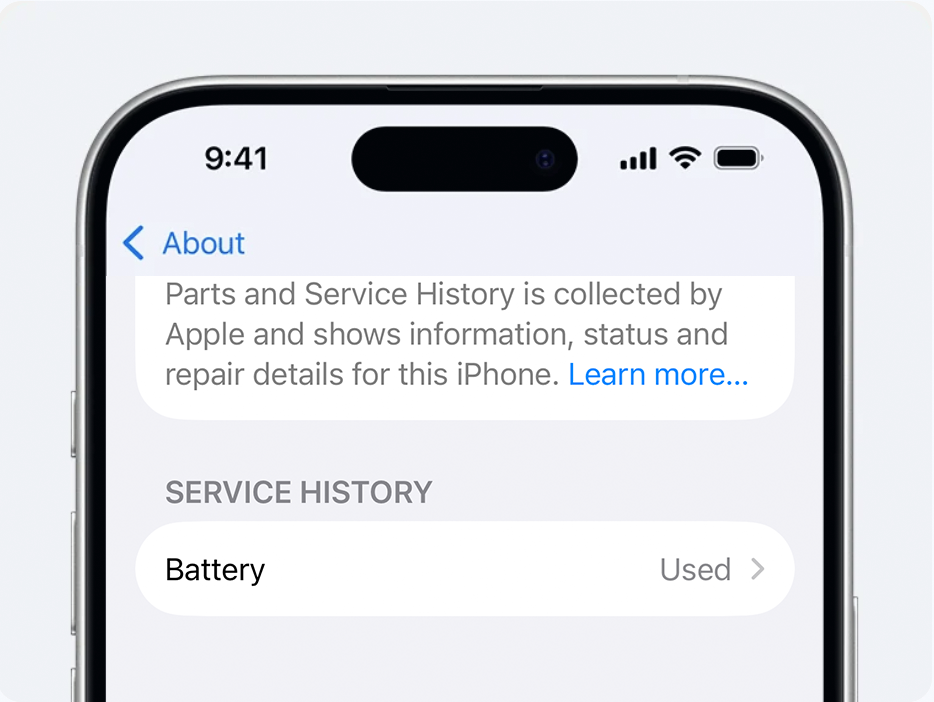
See the difference at a glance.
The highlighted column shows the outcome this diagnostic battery is designed to provide after successful installation and calibration.
Standard aftermarket battery
NINJA OPTIONNinja diagnostic battery
×Will display an “Unknown Part” warningNot included
✓No “Unknown Part” warning after successful calibrationIncluded
×Battery Health information may be unavailableNot included
✓Battery Health information remains visibleIncluded
×Original BMS transfer may be requiredNot included
✓Displays as “Used” in Parts & Service HistoryIncluded
×Additional soldering or equipment may be required to remove "Unknown Part" warning.Not included
✓No original BMS transfer; installs like a normal replacement batteryIncluded
Select your exact iPhone model to confirm compatibility. Model-specific notes can use the variant metafield custom.compatibility_note.
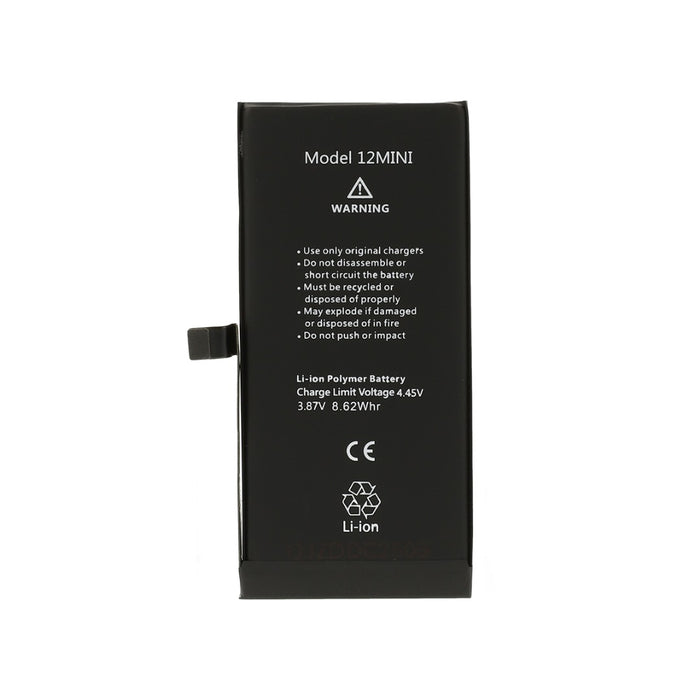
LIMITED PREMIUM VERSION
Would you prefer Parts & Service History to display “Genuine”?
A limited number of our premium aftermarket replacement batteries cause the software status to display “Genuine” rather than “Used” after successful installation and calibration. These are aftermarket batteries and are not supplied or authorised by Apple.
Select your iPhone model above to look for a matching premium variant.
View premium versionWATCH BEFORE YOU INSTALLWatch on YouTube ↗
See the full installation video
Watch Dan install the battery, complete Apple Repair Assistant and explain what to expect before placing your order.
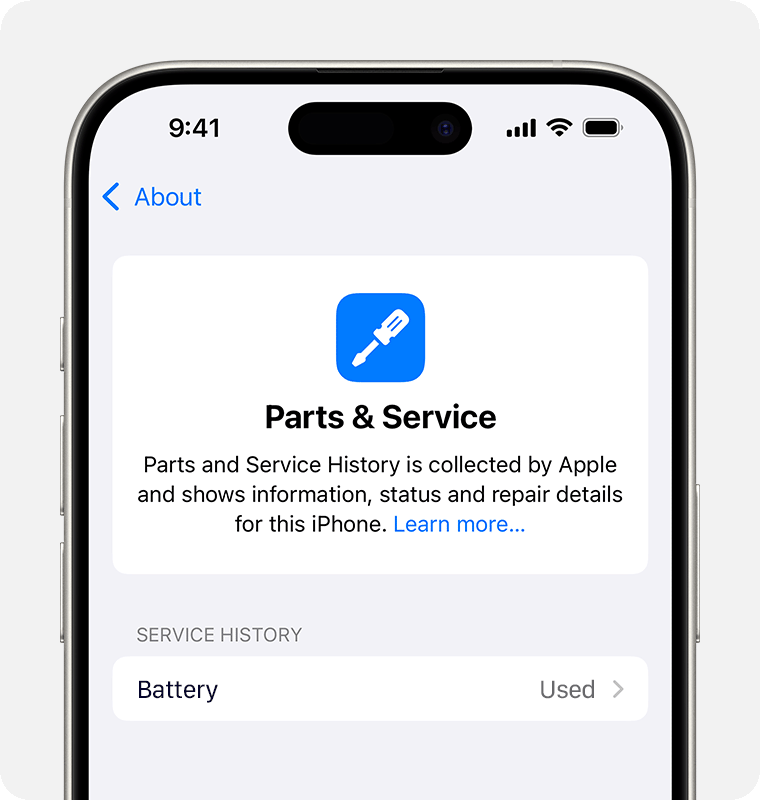
WHAT IOS SHOWS
Shows as “Used” in Parts & Service History.
After successful installation and calibration, supported iPhones can list the replacement battery as Used in Settings → General → About → Parts & Service History.
This avoids the alarming unknown-part notification associated with many conventional replacement batteries.
Tested on iOS 26.6
The status shown is Used. This does not mean the battery was manufactured or supplied by Apple.
FOR REPAIR PROFESSIONALS
What is a diagnostic battery?
A diagnostic battery is an aftermarket replacement battery designed to retain Battery Health information without transferring the original battery management board. On compatible models, it displays as “Used” rather than “Unknown” in Parts & Service History after calibration.
Install it like a normal replacement battery.
No BMS transfer or spot welding is required. Correct repair knowledge and suitable tools are still essential.
Remove the original battery
Open the iPhone safely and remove the existing battery.
Install the diagnostic battery
Fit the new battery using normal battery-replacement procedures.
Open Parts and Service History
Go to Settings, General, About and locate the repair option.
Finish the repair
Run Apple Repair Assistant and follow the on-screen instructions.
Choose the exact model you are repairing.
Compatibility can depend on the iPhone model, battery variant and current iOS behaviour. Check the model-specific information before purchase.
Choose the exact model from the product selector.
Choose the exact model from the product selector.
Choose the exact model from the product selector.
Choose the exact model from the product selector.
Currently tested on iOS 26.6. Apple may change Repair Assistant behaviour through future software updates, so compatibility cannot be guaranteed indefinitely.
UK AND WORLDWIDE DELIVERY
Clear expectations before you order.
UK and international orders follow different fulfilment routes. International delivery can take longer and may be affected by customs.
Dispatched directly by Ninja Gadgets. Delivery estimates are shown during checkout.
Allow additional time for international fulfilment, customs and local delivery.
COMMON QUESTIONS
What you need to know before fitting it.
These answers are intended to reduce uncertainty before purchase. Contact Dan when your repair situation is unusual.
No. It is an aftermarket diagnostic battery and is not manufactured or endorsed by Apple.
No BMS transfer or spot welding is required for normal installation.
Battery information can display after correct installation and configuration on supported models and software versions.
Compatibility can change when Apple updates iOS or Repair Assistant. Check the current product information before ordering.
This product still requires safe iPhone repair knowledge, suitable tools and correct handling of lithium-ion batteries.
International orders can take longer depending on destination, customs and the delivery service used. Checkout provides the available delivery estimate.
Please check which display is fitted to your iPhone. Some lower-quality replacement screens, particularly LCD conversions and certain hard OLED displays, can use more power than the original Apple OLED screen.
You should also open Settings → Battery and check whether a particular app or background process is using an unusually high amount of power.
If the battery is still draining quickly, contact us and include screenshots of your Battery Usage and Battery Health pages so we can help identify the cause.
Important limitations and product information.
This is an aftermarket diagnostic battery and is not manufactured, supplied or endorsed by Apple. Repair Assistant behaviour, displayed part status and battery information can vary by model and software version. Installation should only be attempted by someone with suitable repair knowledge and tools.
READY TO ORDER?
Choose your iPhone model and complete the repair.
Review compatibility, watch the installation video and select the exact battery variant you need.
